



For software & app makers

How TopSlash works.

Rank your product, run a deal campaign, or do both.

Choose a guide — click either option.

Deal campaigns

A bigger offer.
A small group of first believers.

Give new customers a compelling reason to try your product. Offer a deeper discount on a yearly plan, a monthly plan or a one-time pack to a limited number of people, while keeping your regular pricing for everyone else.

Four steps

From idea to a live deal

  1. STEP 1

    Make the offer worth a second look.

    Choose a yearly plan, a monthly plan or a one-time pack, and a discount that feels meaningfully better than your usual promotion. A strong first price can lower the hurdle for new customers.

    You choose the discount. 60%, 40% and 25% are starting suggestions.
  2. STEP 2

    Choose how many customers get it.

    Set an allocation that works for your product. A Stripe campaign supports up to 3 tiers and 50 paid purchases in total.

    For example: 10 at 60% off, 15 at 40% off, and 25 at 25% off.
  3. STEP 3

    Put it in front of curious people.

    Publish a 30-day campaign with your product, deal price and remaining quantity. Buyers can see how many discounted places are left.

    The campaign has a time window. Each buyer still gets the full year, month or pack they paid for.
  4. STEP 4

    Keep building your presence.

    Your accumulated paid rank and website link remain after the deal ends. Add a rank contribution when you want to move up.

    Extend an unfinished campaign with its remaining inventory, or start a fresh one with a new credit.
See it on TopSlash

The campaign editor, and what a buyer sees.

Sample screens from TopSlash, with example products.

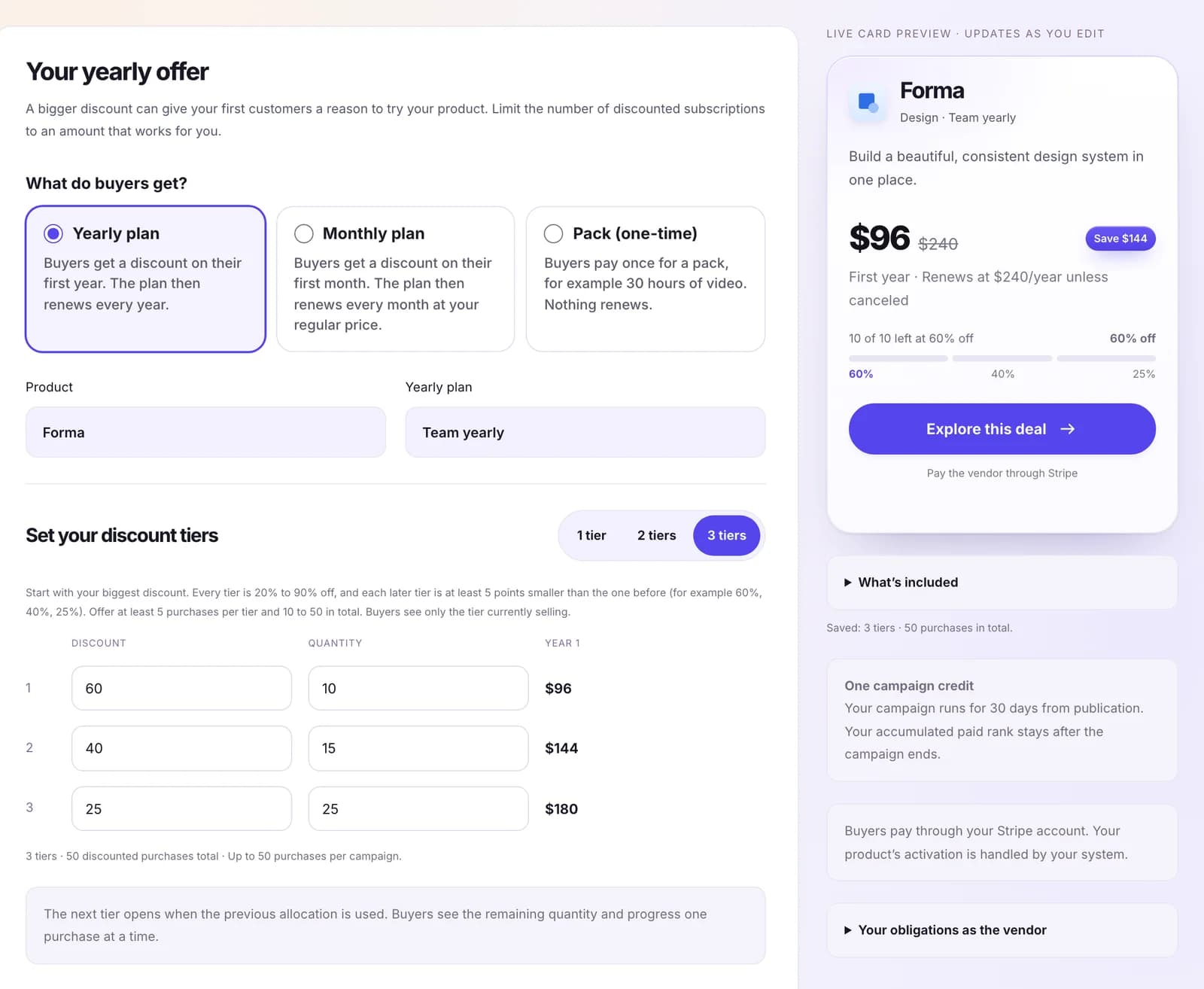
Sample campaign editor: a yearly plan with three discount tiers, beside a live preview of the deal card.

Create a deal campaign

Pick a yearly plan, a monthly plan or a one-time pack, and set up to three discount tiers, with at most 50 discounted purchases in total. One campaign credit publishes it for 30 days.

Example with sample products — not real listings or prices.
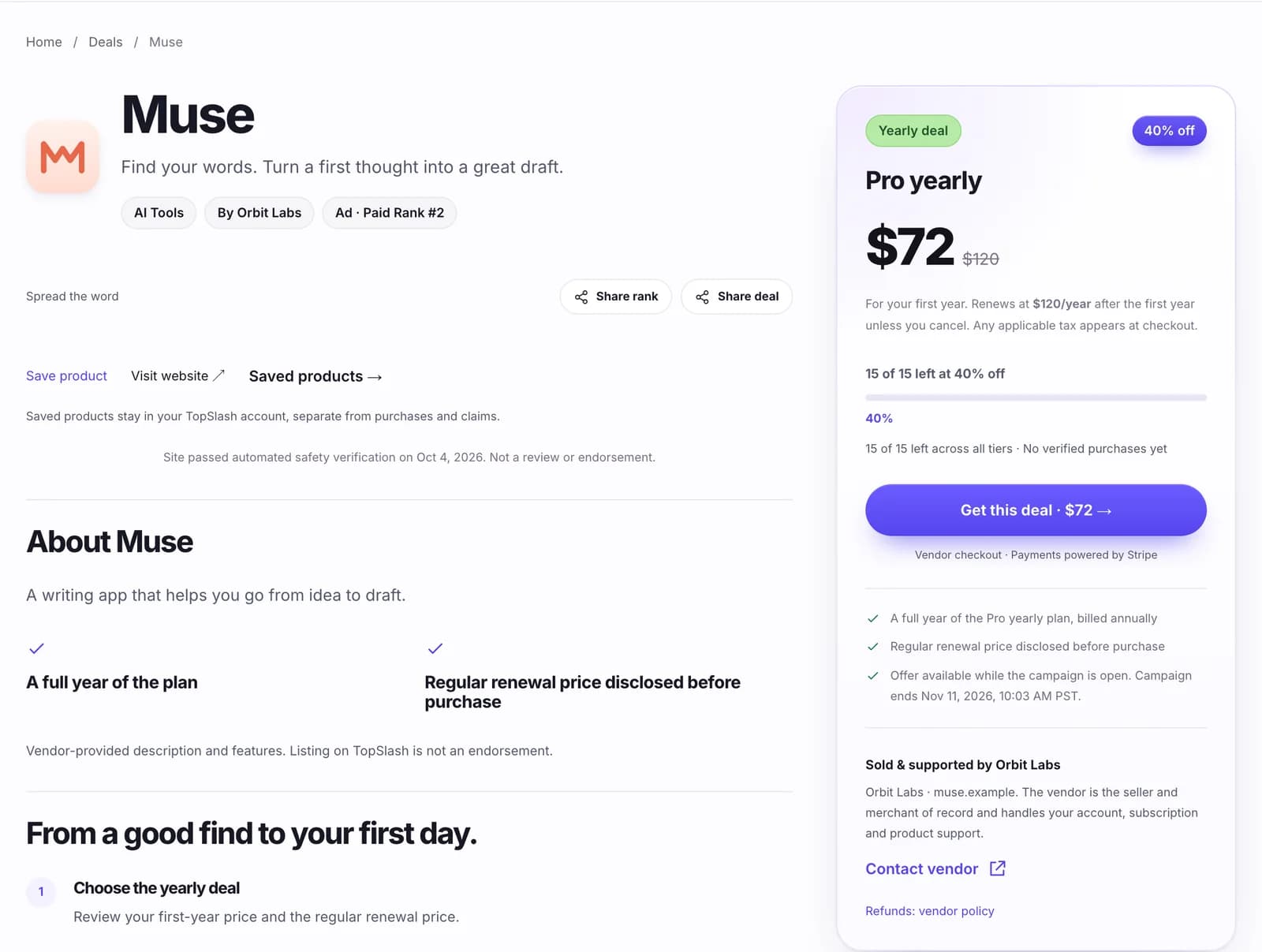
Sample deal page: a Pro yearly plan at $72 for the first year instead of $120, renewing at $120 a year, with 15 of 15 left at 40% off.

A buyer gets a web deal

The deal page shows the deal price, the regular price, any renewal price and how many places are left at each discount. Checkout is the vendor’s own Stripe checkout.

Example with sample products — not real listings or prices.
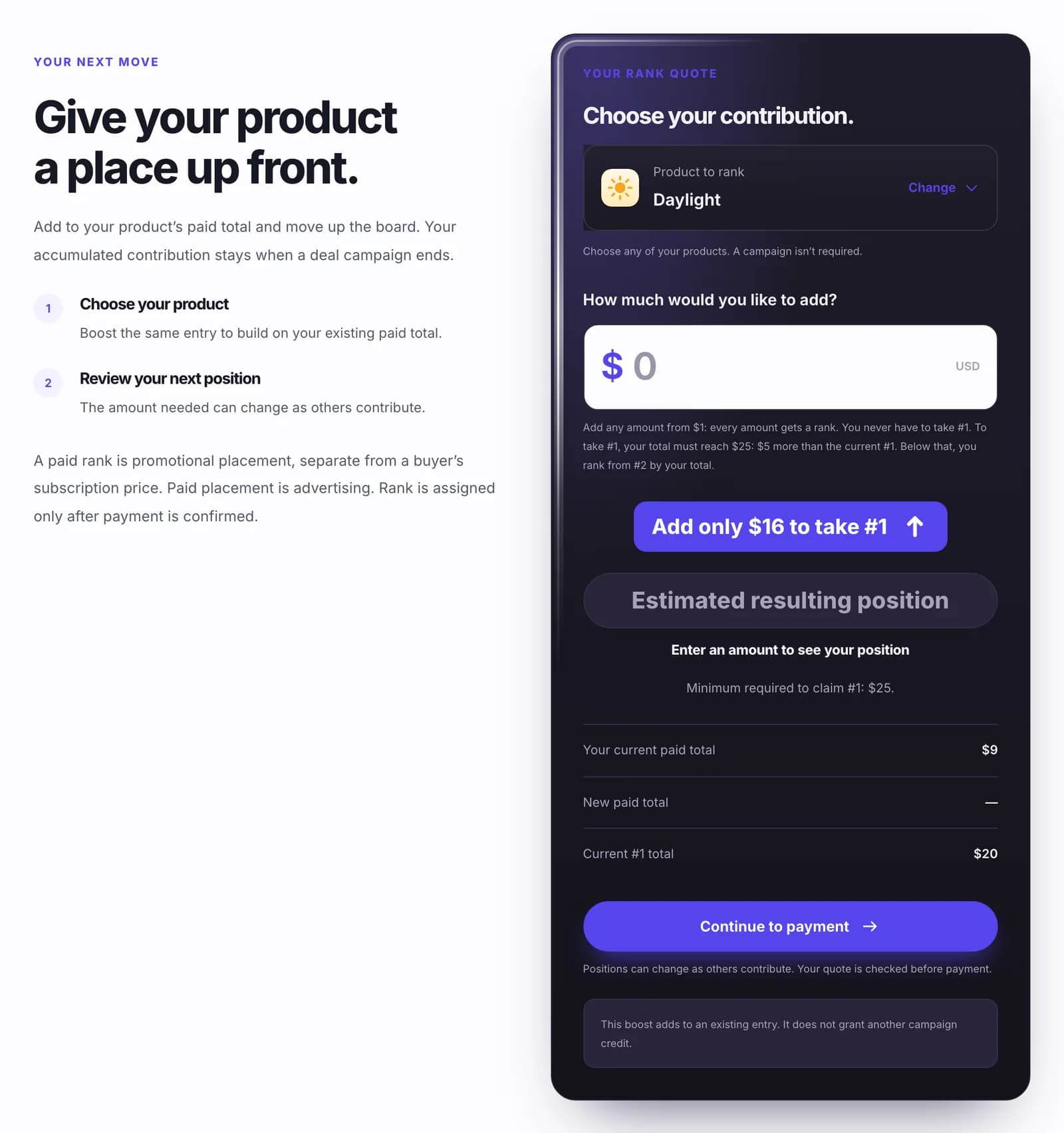
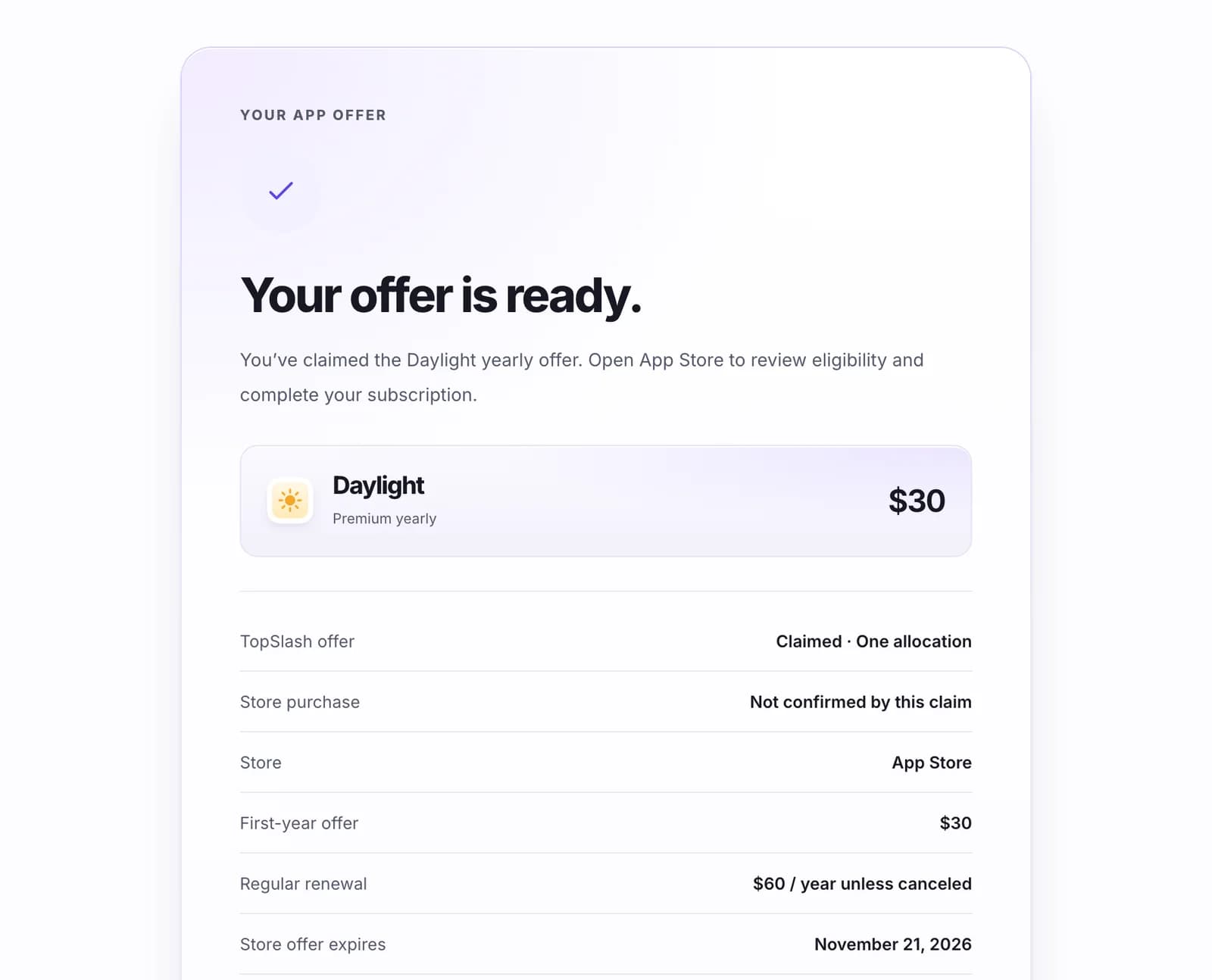
Sample app offer claim: the Daylight yearly offer is claimed on TopSlash, and the purchase is completed in the App Store.

Or claims an app offer

For an App Store or Google Play app, the buyer claims the offer on TopSlash, then subscribes in the store. A claim is not a purchase.

Example with sample products — not real listings or prices.
The right route for your product

A simple offer. A clear handoff.

Your product keeps its existing way of taking payment and delivering access.

Software, tools & web apps

From desktop software to SaaS and online tools: promote a discounted yearly plan, monthly plan or one-time pack. Choose a campaign package first, then set up your offer in your vendor dashboard.

  • Buyers pay through your Stripe account (more payment providers on the way)
  • Paid purchases reduce the available inventory
  • Customers receive access through your existing product

See campaign pricing

Native iOS & Android apps

Provide a supported store offer for a paid annual plan. Buyers get your offer link and complete the purchase with Apple or Google.

  • One fixed annual discount per campaign
  • Up to 50 TopSlash offer-link claims
  • Your existing app handles the store purchase

Claims are allocated links, including links that never become purchases. A 50-claim cap is not proof of 50 store sales.

More of the sale stays with you.

TopSlash charges for promotion and takes no commission on your sales. Your payment provider’s usual fees still apply.

Compare packages
Share & promote

Your next move? Let people know.

Bring your audience to your product with branded cards, a caption and a link.

Share your rank.

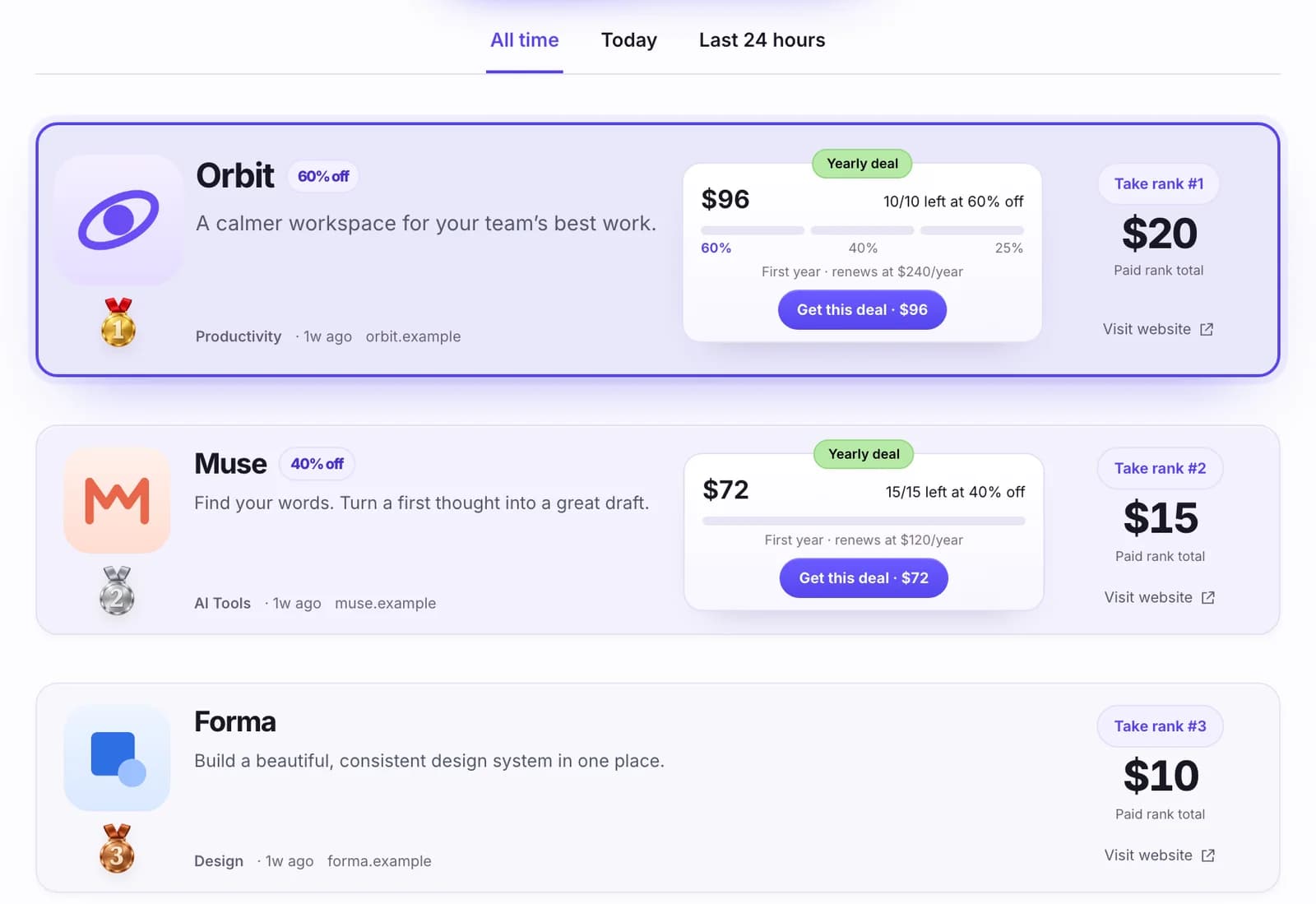
Celebrate your place on the all-time paid leaderboard. Your card shows a snapshot of your rank and directs people to your product.

Share your deal.

Give your active offer a head start. Show your discount, price and terms, with a link to explore the deal.

XFacebookInstagram

Post cards for X and Facebook. Story cards for Instagram. Find both sharing options in your dashboard.

Questions

Your offer. Your decisions.

Why make a bigger discount?

A limited introductory offer lets you test a more compelling introductory price with a small group. It is a way to pursue early adoption and feedback without permanently reducing your regular pricing. Traffic and sales are not guaranteed.

Do I have to offer 60% off?

No. The displayed percentages are suggestions. Choose a supported discount and quantity that make sense for your product. The discounted offer must be real, and its regular price (and renewal price, for a plan) must be clear.

What happens when all the allocations are used?

The deal action closes and the offer leaves the feed of available deals. Your ranked entry and website link remain. Connected Stripe inventory counts confirmed payments; native offers count claimed links.

Can I list a free app?

A completely free product can be promoted through ranking. A free download with a paid premium plan or pack can run a deal when that plan or pack has a genuine discount.

What if my payment provider is not supported?

Request your provider through support. You can deliberately choose paid ranking while a discounted-deal route is unavailable. Deals need a connected Stripe account (or an App Store or Google Play app offer), so check that before you buy campaign credits.

Your first deal is one credit away.

One campaign. 30 days. Paid to your own Stripe.